
Exposing Local EventCatalog
What is EventCatalog?
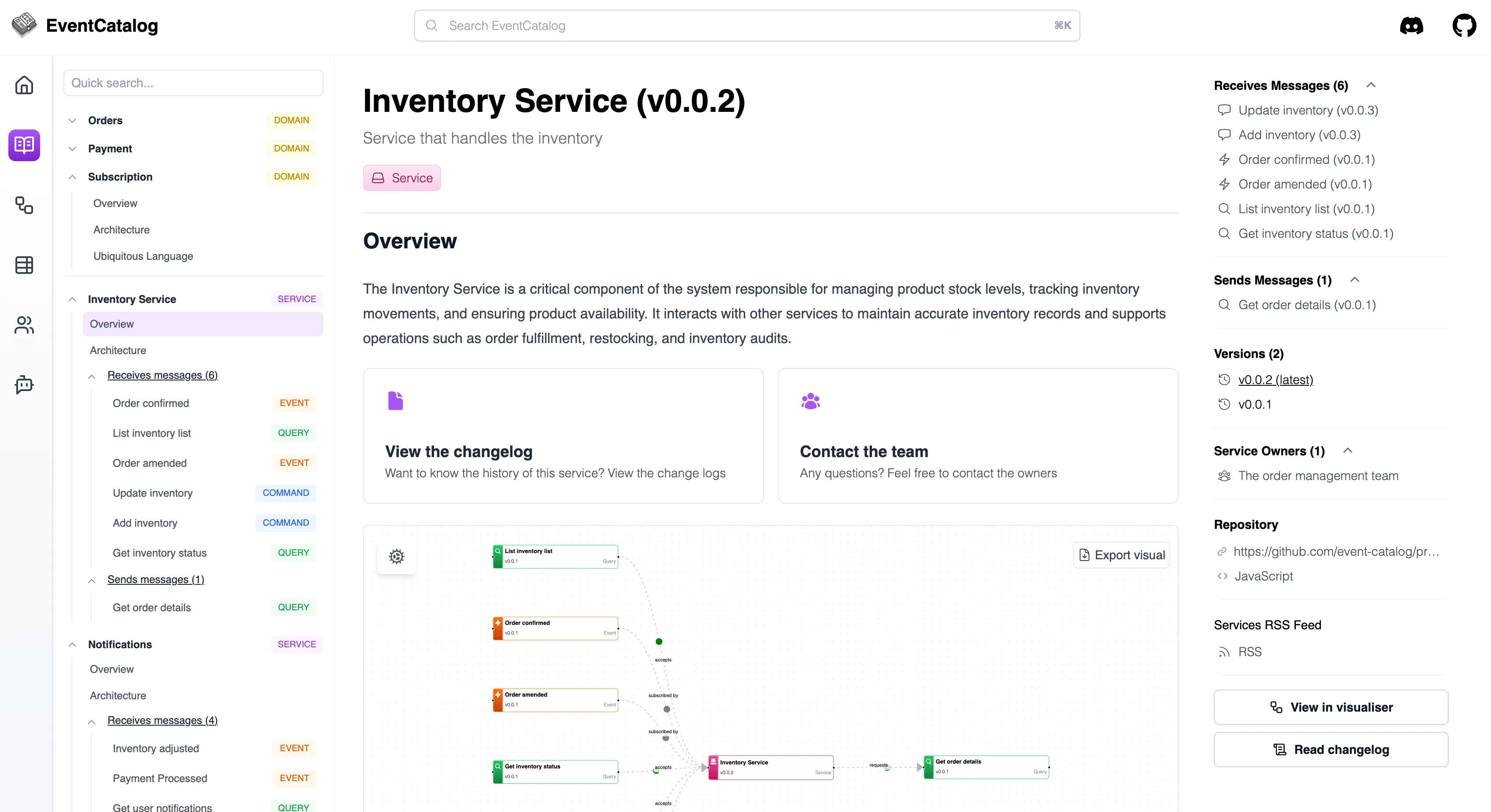
Section titled “What is EventCatalog?”EventCatalog is an open-source, docs-as-code tool for event-driven and microservice architectures. It lets you describe domains, services, and messages (events/commands/queries), attach schemas (e.g., AsyncAPI/OpenAPI), and keep everything discoverable for your teams. It’s technology-agnostic, pluggable, and self-hosted.
Why EventCatalog?
Section titled “Why EventCatalog?”Documenting events in a clear and consistent way is often complex and hard to navigate. This is where EventCatalog truly shines. It provides a powerful portal that lets you explore events from different perspectives; making it easy to understand how your architecture fits together and how events and commands flow between services.
EventCatalog is the perfect tool for event documentation and serves as a central portal because it offers:
- Single source of truth → for producers, consumers, channels, and schemas.
- Visual browsing → navigate and search through events, commands, and channels in an intuitive, visual way.
- Discoverability for developers → a searchable catalog of events, services, and domains with ownership context.
- Safer change management → track schema evolution and version history over time.
- Cross-team alignment → diagrams, tables, and embeddable views (e.g., Backstage plugin, OpenAPI/EventBridge plugins).
- Docs-as-code workflow → markdown-based, generator-friendly, and CI/CD ready.
Quickstart: Run & Expose EventCatalog locally
Section titled “Quickstart: Run & Expose EventCatalog locally”Scaffold a catalog
Section titled “Scaffold a catalog”Terminal window npx @eventcatalog/create-eventcatalog@latest my-catalogcd my-catalognpm installYou can scaffold a default or empty catalog; the CLI creates the structure for you. More info about setting up EventCatalog
Build & Preview
Section titled “Build & Preview”Terminal window npm run build && npm run previewBy default the EventCatalog preview server runs at
http://localhost:3000.Expose EventCatalog with Inspectr
Section titled “Expose EventCatalog with Inspectr”Concept: Inspectr can forward a public URL to a local EventCatalog. You work on documenting your EventCatalog locally; teammates can open the public URL.
Use your Inspectr CLI to expose the local port where EventCatalog runs (3000). Include an access code / channel code so only invited teammates can open it.
Terminal window npx @inspectr/inspectr --backend=http://localhost:3000 --exposeTerminal window inspectr --backend=http://localhost:3000 --expose- Output: Inspectr prints a public URL.
- Teammates open:
https://<inspectr-url> - Open:
http://localhost:8080 - EventCatalog stays at localhost:3000 on your machine; Inspectr handles the secure relay.
Open the Inspectr Dashboard
Section titled “Open the Inspectr Dashboard”Open http://localhost:4004 to see all traffic flowing through Inspectr in real time. Every request your teammates make via the public URL will appear here.
Going further with EventCatalog
Section titled “Going further with EventCatalog”- Explore the demo to understand structure and navigation. EventCatalog Demo
- Plugins: pull in OpenAPI or EventBridge resources to enrich services and messages. EventCatalog Plugins
- Backstage integration: embed EventCatalog views in your internal developer portal. EventCatalog Backstage
- Hosting options: containerize/server deploy when you’re ready to make it permanent. EventCatalog Hosting
Summary
Section titled “Summary”-
Run EventCatalog
npm run build && npm run preview(serves onhttp://localhost:3000). -
Share it with teammates via Inspectr:
npx @inspectr/inspectr --backend=http://localhost:3000 --expose