
Exposing a FastMCP server
FastMCP is a powerfull Python framework to build Model Context Protocol(MCP) servers. Write simple Python functions with decorators, and FastMCP handles the protocol complexity.

FastMCP is great for building MCP servers, that follow the MCP specification without having to know all the implementation details, and comes with built-in features and extensibility to support advanced use cases. Ranging from storage for resources, advanced authentication handling (like OAuth) and even integrations with public authentication & authorization services.
It speeds up the development process of MCP servers by eliminating boilerplate code and providing a simple but advanced framework for building tools, resources, and prompts.
What You’ll Learn
Section titled “What You’ll Learn”This guide shows how to use Inspectr alongside FastMCP to capture and inspect every MCP operation, without modifying your code PLUS Inspectr tunnels traffic between your local FastMCP server and MCP clients, providing visibility into tools, resources, prompts, token usage, and errors.
This example demonstrates:
- Creating a minimal FastMCP server with a single tool
- Running Inspectr as a transparent proxy to capture MCP traffic
- Exposing your local FastMCP server publicly via Inspectr tunneling
- Inspecting tool calls, token usage, and errors in the Inspectr UI
- Connecting MCP clients (Claude Desktop, ChatGPT, Cursor) to your tunneled server
Prerequisites
Section titled “Prerequisites”Before you begin, ensure you have:
- Python 3.9+ installed
- uv or pip for package management
- Inspectr installed (Installation guide →)
Step 1: Install FastMCP
Section titled “Step 1: Install FastMCP”We recommend using uv to install and manage FastMCP.
If you plan to use FastMCP in your project, add it as a dependency:
uv add fastmcpAlternatively, install it directly with uv or pip:
# Using uvuv pip install fastmcp
# Using pippip install fastmcp
For additional FastMCP features and documentation, visit gofastmcp.com.
Step 2: Create a FastMCP Server
Section titled “Step 2: Create a FastMCP Server”Create weather.py:
from fastmcp import FastMCP
mcp = FastMCP("weather-tools")
@mcp.tool()def get_weather(location: str) -> str:    """Get current weather for a location"""    return f"Sunny, 72°F in {location}"
if __name__ == "__main__":    mcp.run(transport="http", host="127.0.0.1", port=8000)
The @mcp.tool() decorator exposes your function as an MCP tool. FastMCP handles the protocol handshake and response serialization automatically.
For resources, prompts, and advanced patterns, see the FastMCP quickstart.
Step 3: Run Inspectr as a Proxy
Section titled “Step 3: Run Inspectr as a Proxy”Start your FastMCP server, then run Inspectr:
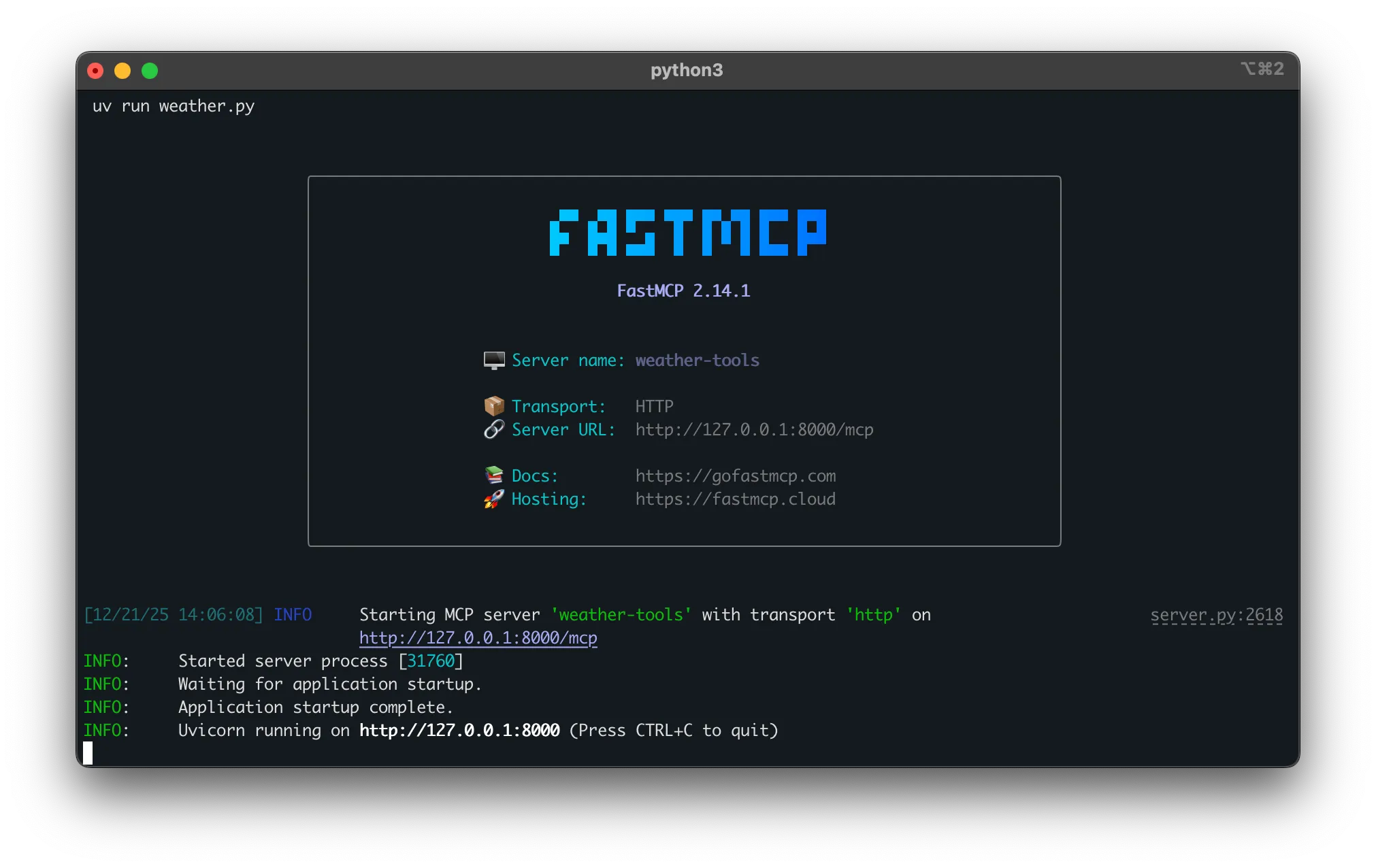
# Terminal 1: Start FastMCP serveruv run python weather.py
# Terminal 2: Start Inspectr proxyinspectr --backend=http://localhost:8000# Terminal 1: Start FastMCP serverpython weather.py
# Terminal 2: Start Inspectr proxyinspectr --backend=http://localhost:8000The FastMCP server runs on port 8000.
Inspectr now listens on port 8080 and forwards traffic to your FastMCP server on port 8000. The Inspectr UI runs at http://localhost:4004.
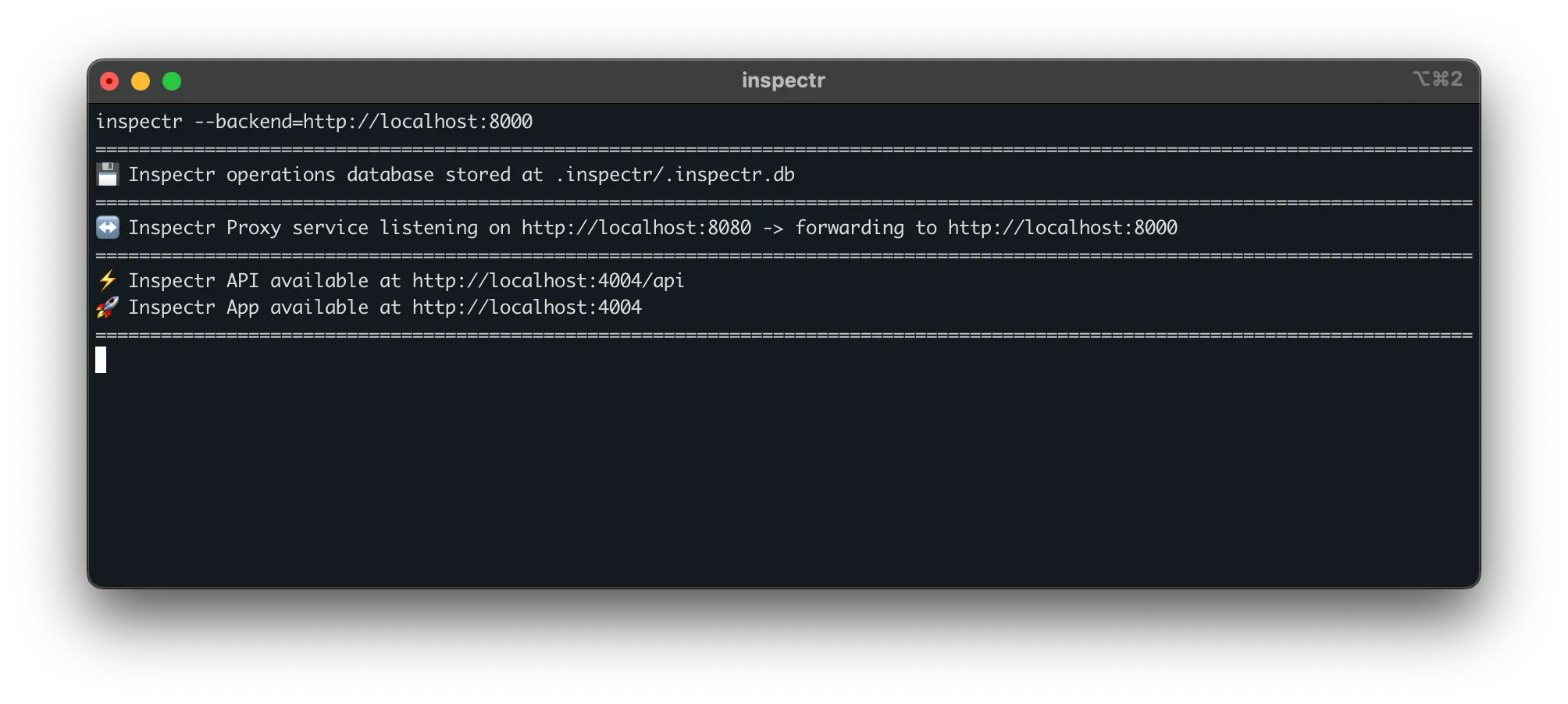
Point MCP clients to http://localhost:8080 instead of directly to your FastMCP server. All traffic flows through Inspectr and appears in the UI.
Step 4: Tunnel Your FastMCP server
Section titled “Step 4: Tunnel Your FastMCP server”Inspectr can expose your local FastMCP server publicly using the --expose flag. This creates a secure tunnel, giving you a public URL that MCP clients anywhere can connect to.
Start Inspectr with tunneling enabled:
inspectr \ --backend=http://localhost:8000 \ --expose \ --channel=my-fastmcp \ --channel-code=secure-token-123You’ll see output like:
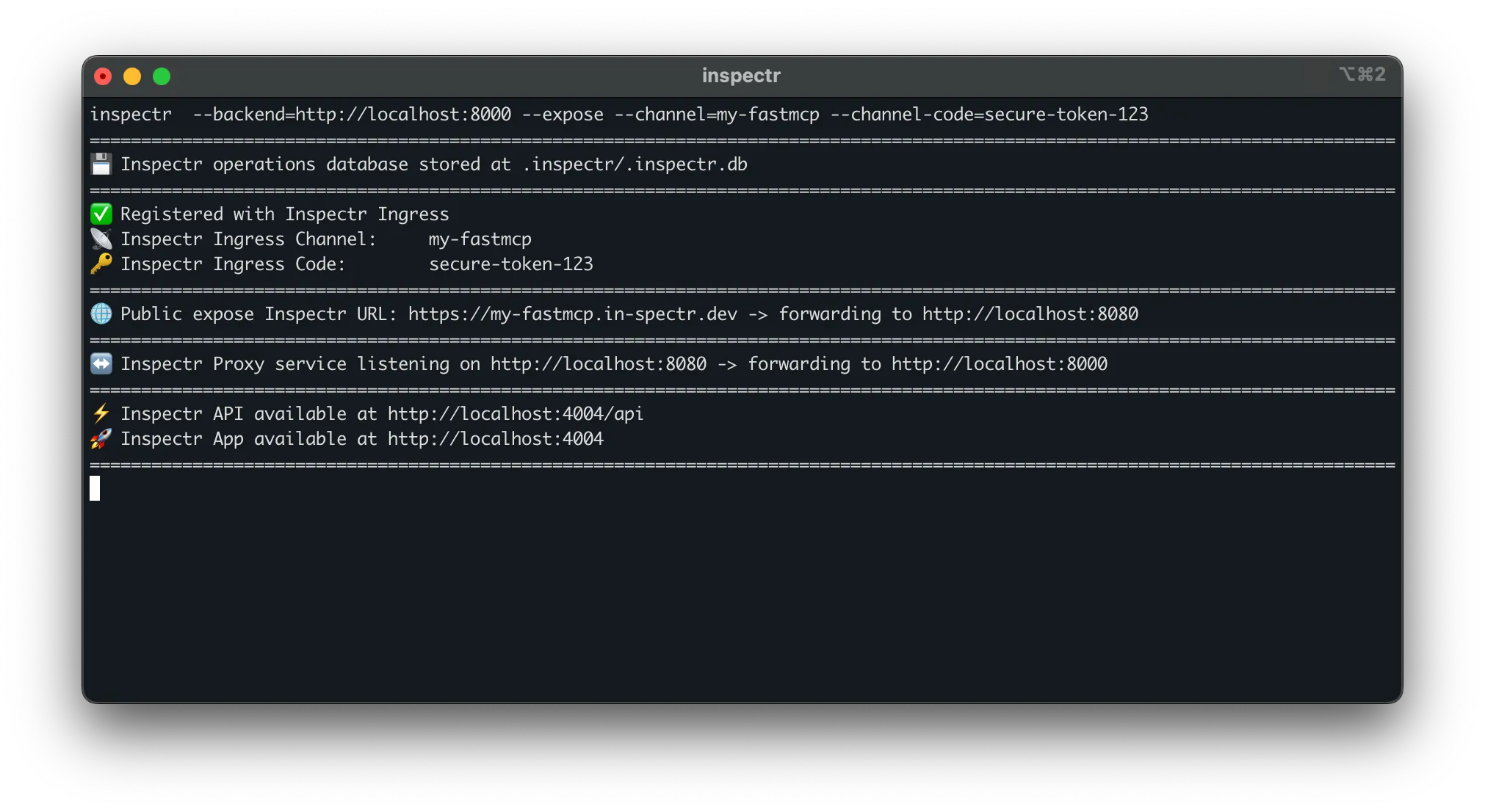
What this enables:
- Remote access – Share the public URL with teammates or clients without deploying infrastructure
- MCP client testing – Configure Claude Desktop, ChatGPT, or Cursor to use
https://my-fastmcp.in-spectr.dev - No firewall config – Tunnel handles NAT traversal and works from anywhere
- Full observability – All tunneled traffic appears in the Inspectr UI
Step 5: Connecting Claude Desktop
Section titled “Step 5: Connecting Claude Desktop”Edit your Claude Desktop config (~/.claude/claude_desktop_config.json):
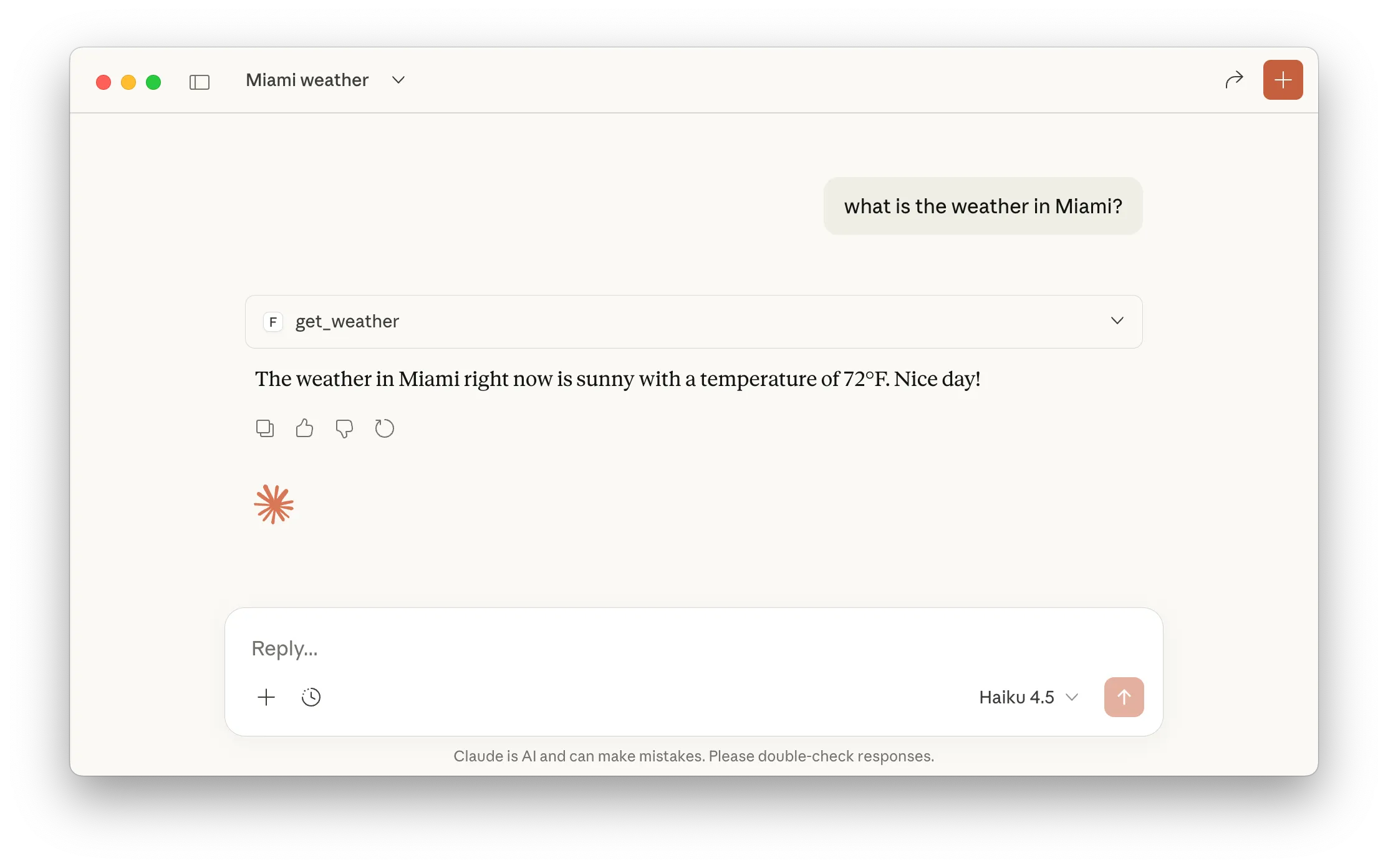
{ "mcpServers": { "weather-tools": { "command": "npx", "args": ["mcp-remote", "https://my-fastmcp.in-spectr.dev"] } }}Claude can now invoke your FastMCP server tools through the Inspectr tunnel, and you’ll see every MCP request, allowing you to debug and optimize your server. It gives a great insight into how LLMs like Claude or ChatGPT use your tools,prompt and resources.
Step 6: Review MCP Operations
Section titled “Step 6: Review MCP Operations”Call your FastMCP tool via Inspectr using Claude, ChatGPT, … or any MCP client
Visit the Inspectr UI at http://localhost:4004 to see the captured MCP interactions.
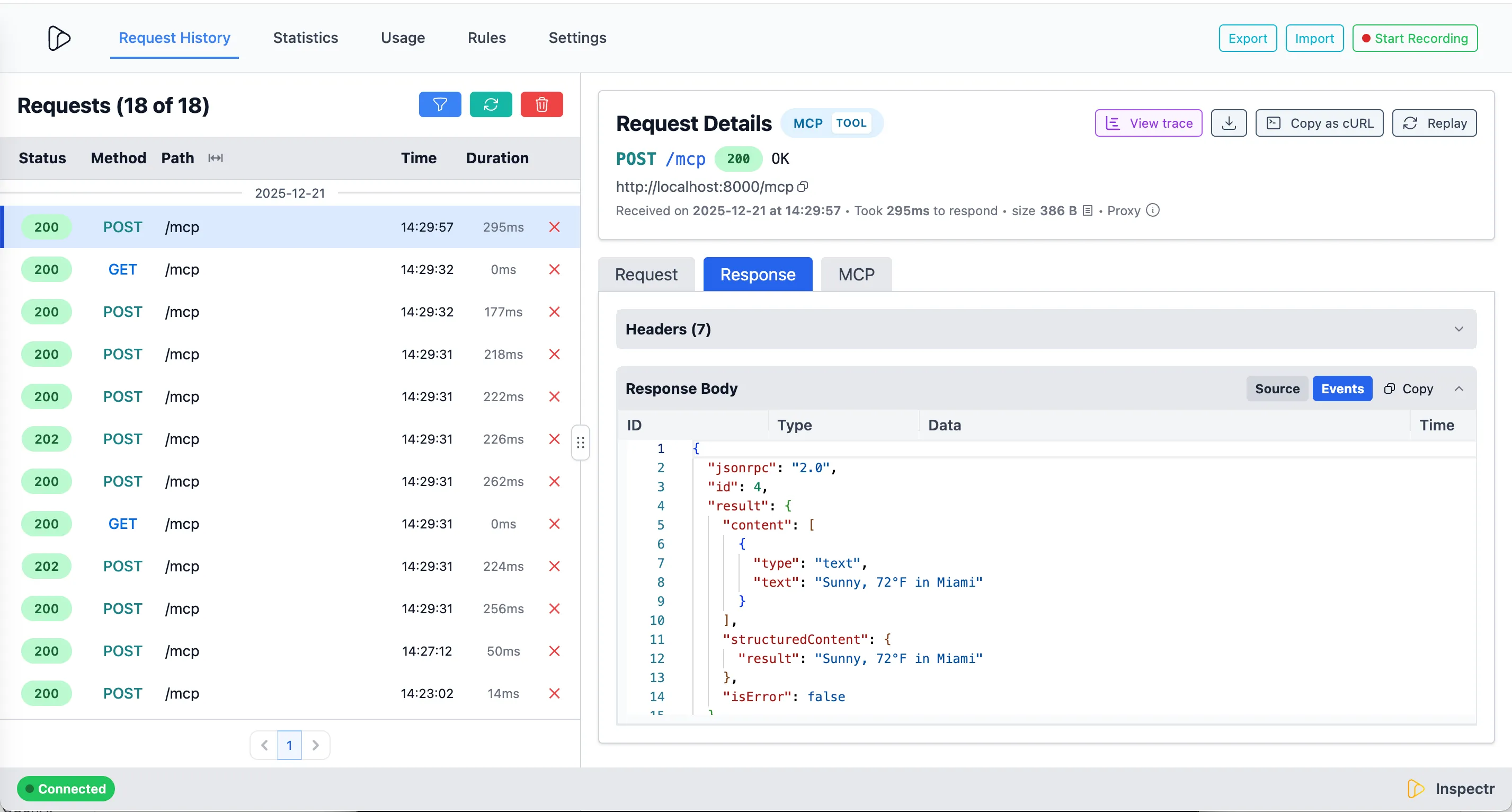
MCP Insights
Section titled “MCP Insights”Next to the request and response payloads, Inspectr also captures detailed metadata about every MCP operation.
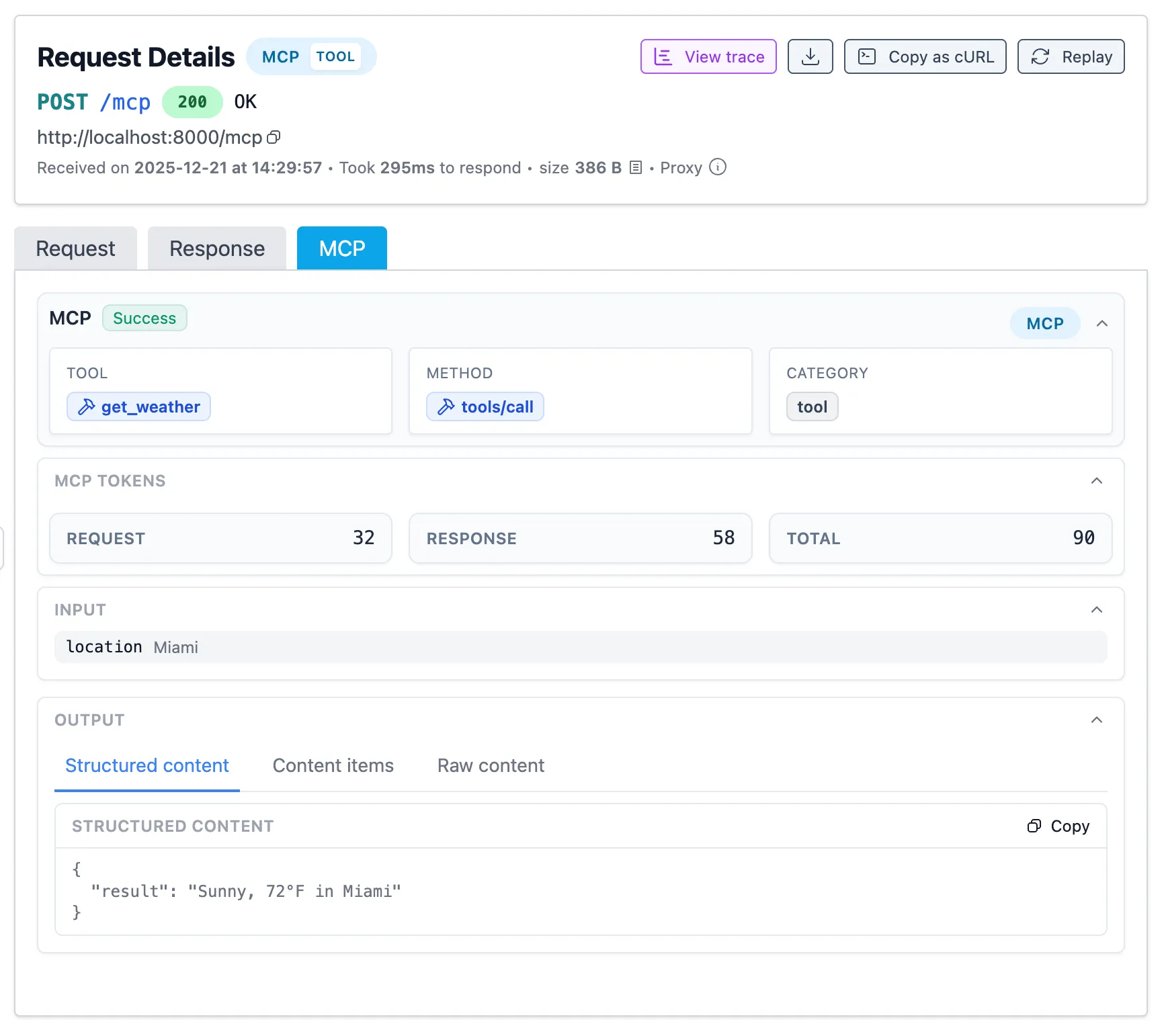
Inspectr automatically extracts MCP-specific metadata from every request:
- Operation type – Tools, resources, prompts, or system calls
- Operation name – Extracted from params (e.g.,
get_weather) - Token usage – Request, response, and total token counts
- Session tracking – Correlates related calls via MCP session IDs
- Timing – Latency per operation for performance analysis
- Errors – JSON-RPC error codes and messages with full context
Use this data to identify frequently-called tools, optimize token-heavy operations, and debug failures with complete request/response payloads.
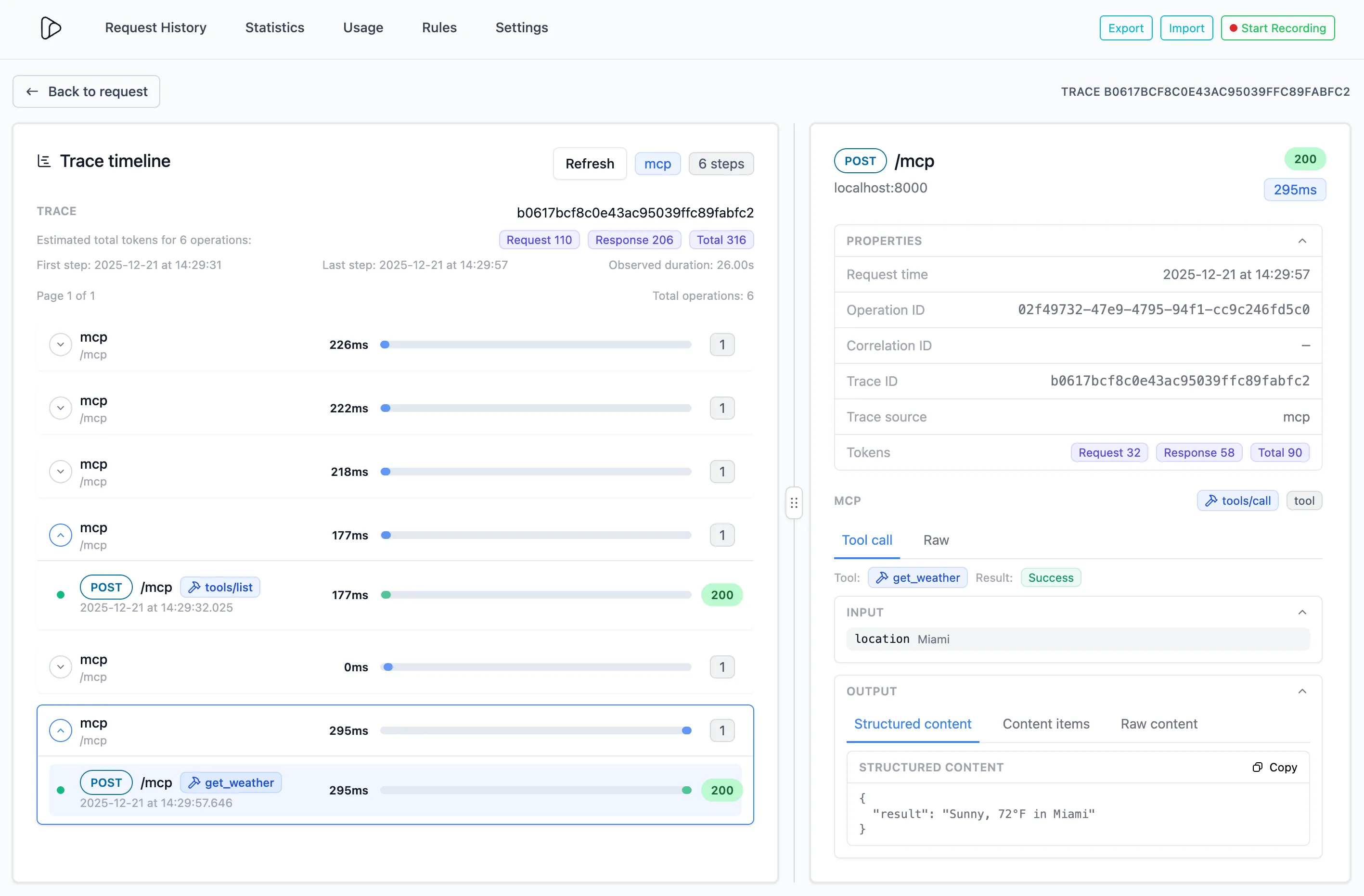
LLM’s like Claude and ChatGPT will trigger a number of MCP operations, in a sequence that it uses to answer questions. Inspectr helps you understand how the LLMs uses the tools, prompts and resources, and how they interact with each other, using the MCP tracing view.
Summary
Section titled “Summary”FastMCP lets you build MCP servers with minimal code. Inspectr adds zero-config observability and tunneling:
- Transparent capture – See every tool call, resource read, and prompt invocation
- Token tracking – Monitor usage and optimize costs
- Secure tunneling – Expose local servers publicly without deployment
- Multi-client testing – Connect Claude Desktop, ChatGPT, Cursor, and more
- Full inspection – Request/response payloads, errors, and latency metrics
Build fast. Debug visually. Ship confidently.
Related Links
Section titled “Related Links”Inspectr Documentation:
- MCP Insights product feature →
- MCP Observability guide →
- MCP Insights feature →
- Exposing Services Publicly →
FastMCP Resources:
- FastMCP Documentation – Complete FastMCP guide
- FastMCP GitHub – Source code and examples
- FastMCP Quickstart – Getting started tutorial