
Export Operations on Shutdown
Inspectr can export the operations it captured into a timestamped JSON file when it shuts down. This is useful for sharing a session, archiving a CI/CD run, or replaying data later.
Use Cases
Section titled “Use Cases”- Share a proxy session with teammates or support
- Archive a test run for later analysis
- Store captured traffic as a build artifact in CI
Example
Section titled “Example”Export operations on exit:
inspectr --exportExported files are written to the exports directory by default. You can change the target directory using exportDir in .inspectr.yaml.
export: trueexport: trueexportDir: archive/sessionsImport an Export in the UI
Section titled “Import an Export in the UI”After exporting, open the Inspectr UI.

Click on the import option in the top navigation, to load the JSON file from your exports folder.
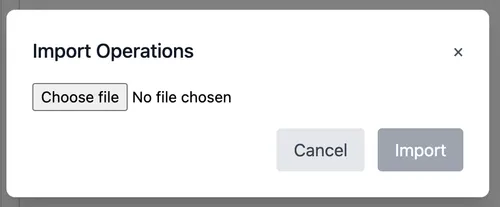
This lets you review the captured operations in the UI as a separate session.
Export File Format
Section titled “Export File Format”Example:
📦 Exported operations: exports/inspectr_operations_2026-01-04-142843_inst_1757169902.jsonThe filename is built as:
inspectr_operations_<timestamp>_<instance_id>.jsonFor the example above:
inspectr_operationsis a fixed prefix2026-01-04-142843is the export time in UTC (YYYY-MM-DD-HHMMSS)inst_1757169902293373000is a stable instance id for that machine (stored in the local metrics DB so it stays consistent across runs)
So it’s a timestamped export tagged with the machine’s instance id.