
Tunnel & Expose
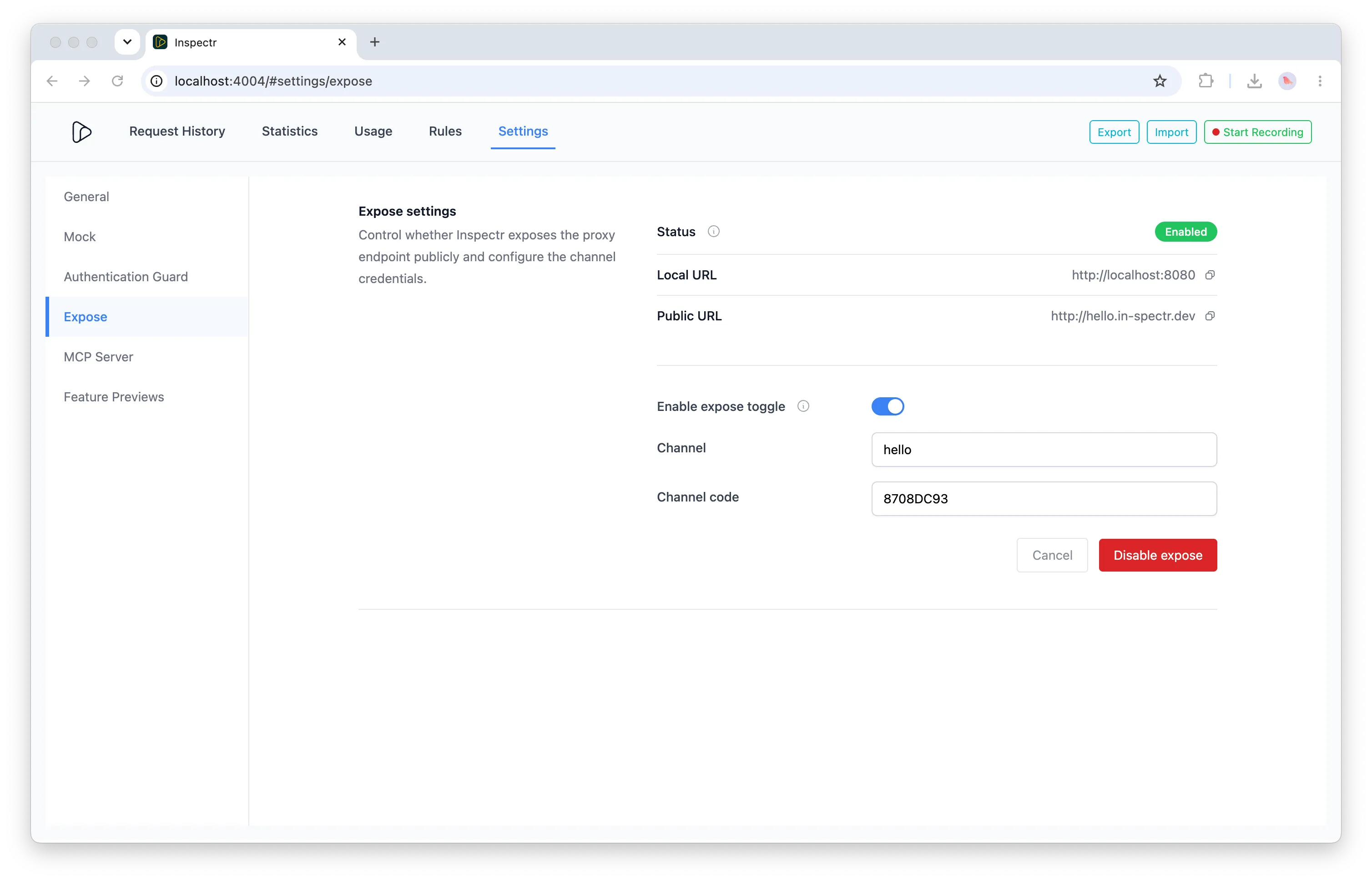
Inspectr can make a service running on your machine reachable from the public internet without changing your firewall or deploying it first. The Tunnel & Expose feature creates a temporary HTTPS URL through Inspectr Ingress and sends incoming traffic to your local Inspectr proxy.
This is useful for sharing a development API, testing an integration from a remote client, connecting an external MCP client to a local server, or receiving webhooks during development.
Why Tunnel & Expose?
Section titled “Why Tunnel & Expose?”Local services are often ready to test before they are deployed, but remote clients cannot reach localhost. Port forwarding, firewall changes, and temporary deployments add friction exactly when you want to validate an integration quickly.
Tunnel & Expose gives you a temporary public address while keeping the service and Inspectr proxy running in your environment. You can:
- Test a local API from an external client or teammate
- Share a development build without deploying it
- Connect remote tools to a local MCP server
- Inspect and replay traffic while the integration is still under development
How the tunnel works
Section titled “How the tunnel works”The public request follows this path:
- A client or webhook provider sends an HTTPS request to your Inspectr URL on
in-spectr.dev. - Inspectr Ingress relays the request to the Inspectr proxy running on your machine.
- The local proxy captures the request so it is available in the terminal and Inspectr App.
- Inspectr forwards the request to your configured backend, or handles it in catch/mock mode.
- The response travels back through the proxy and Ingress to the caller.
The hosted Ingress layer is a forwarding relay. Inspection history is handled by your local Inspectr instance according to its storage configuration.
Expose a local backend
Section titled “Expose a local backend”Start Inspectr next to your local service and enable exposure:
inspectr \ --backend=http://localhost:3000 \ --expose \ --channel=my-api \ --channel-code=secret123Inspectr listens locally on http://localhost:8080 by default and prints a public URL such as:
https://my-api.in-spectr.devUse that URL from a remote client:
curl https://my-api.in-spectr.dev/api/healthThe --channel value is used as the preferred subdomain. If you omit it, Inspectr assigns a channel for the session. The --channel-code value is used to securely register or reserve the channel with Inspectr Ingress. It is not an allow/deny switch for requests sent to an already registered public URL.
Receive webhooks without a backend
Section titled “Receive webhooks without a backend”You can expose Inspectr in catch mode when you want to receive and inspect requests before a backend is available:
inspectr \ --catch=true \ --expose \ --channel=webhook-test \ --channel-code=secret123Configure the third-party provider to send events to the public URL, for example:
https://webhook-test.in-spectr.dev/eventsInspectr captures the request and returns the default 200 OK response. You can inspect the event in the local App and replay it later while developing your handler. When your backend is ready, add --backend and continue using the same proxy flow.
Configure it with YAML
Section titled “Configure it with YAML”The same setup can live in .inspectr.yaml:
listen: ':8080'backend: 'http://localhost:3000'expose: truechannel: 'my-api'channelCode: 'secret123'Then start Inspectr with:
inspectrCLI flags can override values from the configuration file. See YAML Configuration and CLI Options for the complete reference.
URL lifetime and channel registration
Section titled “URL lifetime and channel registration”- The public URL is available while the Inspectr session is running.
- Stopping Inspectr closes the local tunnel and releases the public channel.
- A channel code helps securely register or reserve a preferred channel name; it does not authenticate every request to the public URL.
- For request-level protection, enable Access Authentication or use authentication provided by your backend.
The tunnel provides public reachability; it does not replace authentication or authorization in your application. Avoid exposing production credentials or sensitive development data, and stop the session when the endpoint is no longer needed.